
ArtManager 10.2.0
Get paid anywhere with ArtManager 10.2.0
A major payments release for artists, studios, and small galleries — collect card payments with Stripe, accept Tap to Pay on iPhone, reconcile Stripe activity, and turn bank transactions into matched payments and expenses.
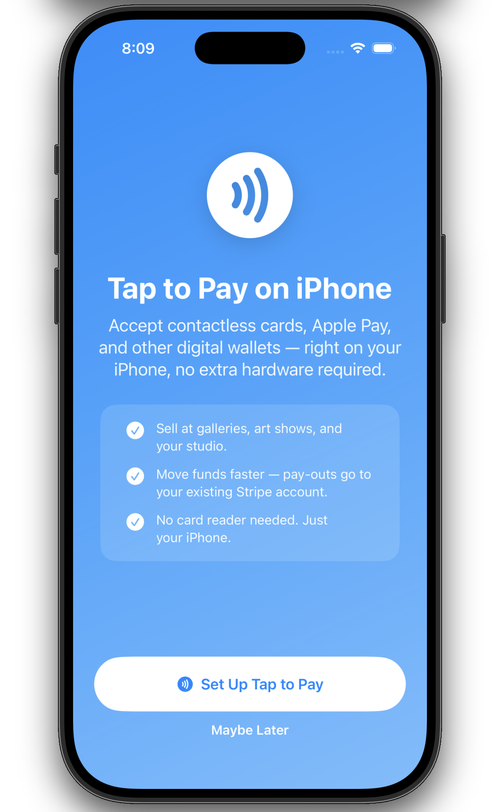
ArtManager 10.2.0 brings payment collection and reconciliation into one cleaner workflow. You can now collect card payments with Stripe PaymentSheet, accept in-person contactless payments with Tap to Pay on iPhone, and keep your payment records aligned when Stripe sends refund or dispute events later.
It also adds Bank CSV Import for the practical work that happens after money moves: download transactions from your bank, review the suggested matches, and create ArtManager payments or expenses from one file.
Card payments now happen before ArtManager saves the record.
When you choose Credit Card or Tap to Pay, ArtManager waits for Stripe to approve the transaction first. If the payment sheet is canceled or the reader flow fails, no local payment record is saved.
Stripe PaymentSheet
Collect keyed-in or saved-card payments for direct sales, venue payouts, commissions, and invoice creation.
Tap to Pay on iPhone
Accept contactless cards, Apple Pay, and digital wallets directly on supported iPhones with no extra reader.
Digital receipts
After an approved card transaction, ArtManager offers a receipt sheet for email or the iOS Share Sheet.
Stripe refunds and disputes can flow back automatically.
The new Worker webhook flow stores verified Stripe events, and ArtManager checks for those events on launch and when returning to the foreground.
Refund tracking
Full and partial Stripe refunds update the existing payment row instead of creating duplicate payment records.
Dispute status
Chargeback and dispute events mark the matching payment as disputed and keep Stripe’s latest status.
Foreground sync
ArtManager fetches new verified events from your Worker when the app launches or comes back into focus.
Turn downloaded bank transactions into payments and expenses.
Bank CSV Import helps reconcile transactions from banks that export common CSV columns. ArtManager never stores bank credentials; you sign in directly with the bank and import the file you download.
Patron and invoice matching
Deposits can be matched to patrons and open invoices before creating Bank CSV payment records.
Expense matching
Charges can be matched to existing expense items or imported as new one-time expense records.
Manual review tools
Drag transactions to patrons or expenses, switch a row between Payment, Expense, and Ignore, or unmatch before import.
The Stripe wizard is now website-only.
The Stripe Setup Wizard guides you through Stripe Dashboard and Cloudflare Dashboard steps without asking you to use Terminal or CLI commands.
Create or sign in to Stripe
Copy your publishable key and keep your secret key on your Worker, not in ArtManager.
Create the Cloudflare Worker
Use the Cloudflare Dashboard to create the Worker and paste the ArtManager Worker template.
Add D1 and webhooks
Create the events database, bind it as DB, and point Stripe webhooks at your Worker endpoint.
Test and start taking payments
Run the wizard’s checks, then use Credit Card or Tap to Pay from payments and invoice creation.
Settings, setup, and help were refreshed around the new payment workflows.
Initial Setup now uses a guided flow with review before saving. Settings include clearer Stripe configuration and diagnostics, and the help system has new pages for card payments, manual payments, Bank CSV Import, and webhook reconciliation.
ArtManager 10.2.0 brings payments, reconciliation, and setup into one guided workflow so studios can spend less time chasing records and more time running the business.